Network & Resource Exchange · Case study
Calgary Christian CollectiveWhat each organisation carries, what each one needs, and the overlap between them — made visible.
- Client
- Calgary Christian Collective
- Industry
- Network & Resource Exchange
- Market
- Calgary & the surrounding counties, Alberta
- Built
- 2026
- Published
- Client domain
- calgarychristiancollective.com
- Status
- Complete on the studio's deployment preview; the domain was attached but not serving publicly, and the backend was not yet deployed, at the time of writing (21 October 2026).
Overview
Calgary Christian Collective is a regional directory and resource exchange for the Christian community across Calgary, Airdrie, Cochrane, Chestermere, Okotoks and the surrounding counties: churches, ministries, businesses and initiatives each list what they carry and what they need, and the exchange shows where one meets the other. Local Cochrane Web Design built it as a multi-page web application — explore, profiles, join, sign in, manage, stories, vision — on top of a frozen single-page vision the client had already approved.
The site's own sentence explains the product better than a brochure could: 'Every organization lists what it carries and what it needs. The exchange shows where one meets the other, names the resource, and spells out why. An introduction happens only when both sides say yes.' The build makes that sentence tangible on the homepage — type a need, see who in the network could resource it — and then disciplined everywhere else: profiles drawn from public sources are labelled 'Not yet confirmed by the organization' with the date they were last checked, the Stories page says 'No story is published yet' rather than inventing one, and the vision page the client did not want touched is preserved exactly as it was. At the time of writing the site was complete on the studio's deployment preview with seven public organisations and its backend still to be switched on.
The live site
Built to be judged in the only place that counts.


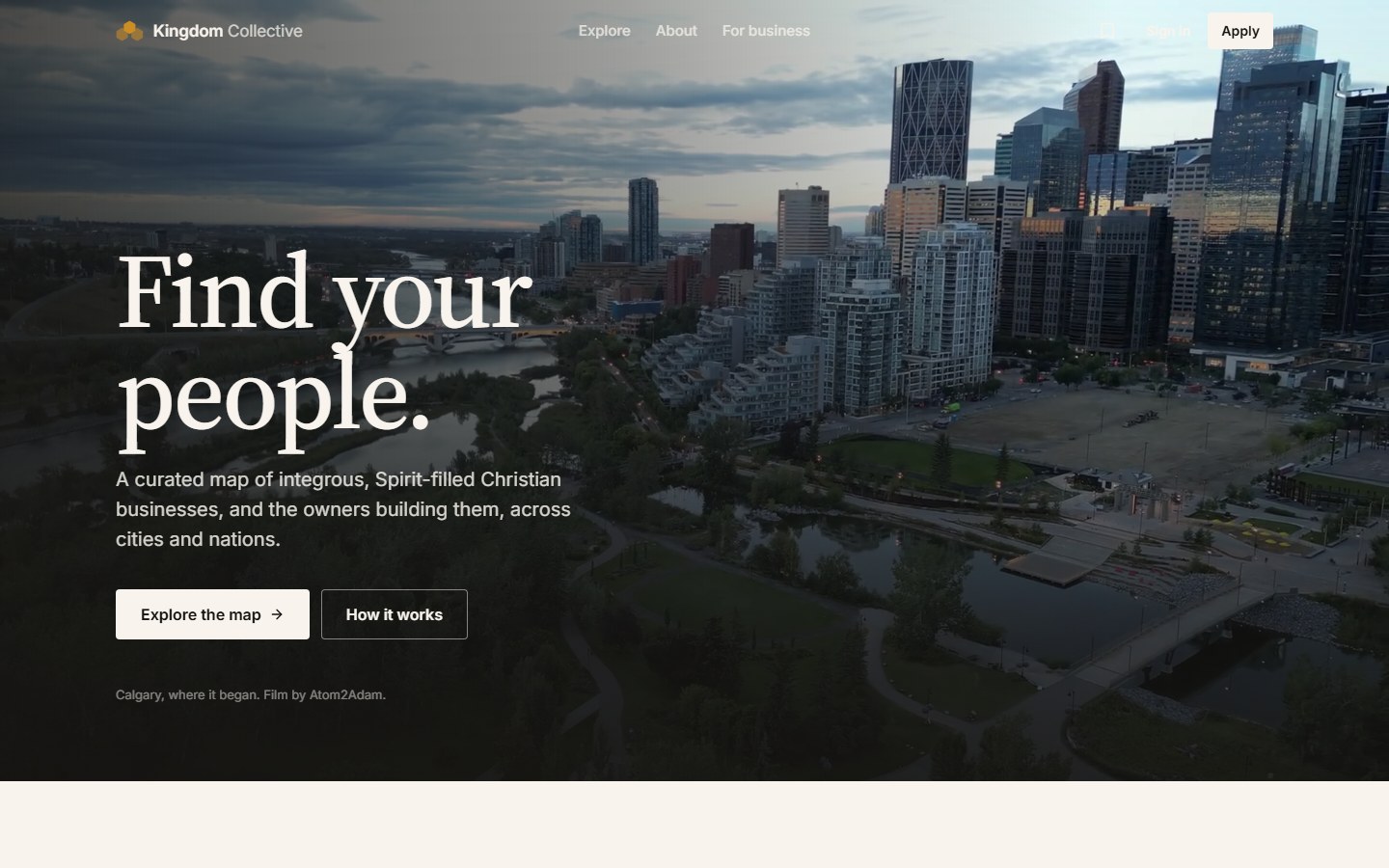
Captured from the studio's deployment preview — the client's domain was not yet public at the time of writing. Real pixels, no mockups.
The client
The collective's vision is large and stated without hedging — 'Project 1 Billion', 'one billion people in ten years', the mantra 'Infinitely deep. Infinitely wide.' — and it was already published as a scroll-driven single page before this build began. The owner's instruction, recorded in the repository, was not to change it.
The practical idea underneath is modest and specific: no church should have to build every capability from scratch when the videographer, the meeting room, the bookkeeper or the intercessors already exist somewhere else in the Body. The first exchanges, the homepage says, began in October 2026.
The challenge
A network site can easily become a brochure about a network that does not yet exist. With seven listings, no published stories and a backend not yet deployed, every screen had to be honest about scale while still demonstrating the mechanism.
The join flow is long by nature — an organisation's identity, location, purpose, what it carries, what it needs, how resources move, how it wants to connect, what is public — and had to be completed by a volunteer or a pastor on an ordinary evening without losing their place.
Strategic objectives
What the build had to accomplish.
Let a visitor try the exchange before joining it: name a need on the homepage and see who in the network could resource it.
Publish a directory where every entry's verification status and last-checked date are visible, and unverified listings say so.
Make joining an eight-chapter form that saves as it goes, is reviewed by a person, and shows the organisation exactly what will be visible before it submits.
Keep sign-in passwordless and introductions consent-based, and state both plainly.
Preserve the frozen vision page untouched, and prerender every public route with its own structured data.
The insights that shaped the work
The product is the overlap. Show one real overlap on the homepage and the rest of the site has something to explain.
'Not yet confirmed by the organization' is a feature. A directory that labels its own uncertainty is the only kind an organisation will claim.
A long form is fine if it saves and if the applicant can see the end from the beginning.
Chapter
Try the network before joining it
Insight
A resource exchange is abstract until a visitor sees their own need matched to someone real.
Decision
The homepage opens on the question 'What if what you need already exists somewhere else in the Body?' and, directly beneath, a 'Try the network' box: 'What do you need?' with suggestion chips — musicians, worship team, prayer, videography, meeting space, volunteers, bookkeeping, web development — that runs the same search engine the Explore page uses and shows public results without an account. A worked example sits beside it: 'OCT 31 needs intercessors; Contend Canada offers prayer, remotely.' The four steps follow in one line each — add what you carry, add what you need, the collective finds the overlap, connect — and a visitor who wants in is carried into the join flow with their need already entered.
Effect
The mechanism is demonstrated in the first screen with real listings, not described. A pastor who typed 'videography' has seen a match before being asked to join anything.

Chapter
A directory that shows its own confidence level
Insight
The first listings were researched from public sources, not submitted by the organisations. Publishing them as if confirmed would have been the easiest and worst decision.
Decision
The Explore page — 'What we have. What we need. Who is here.' — offers one search box across four views (organisations, offers, needs and a town-level map), filters by type and location, and a live count. Each profile carries its type, category, town and a status line: 'Not yet confirmed by the organization.' with the date it was last checked, plus a 'Claim this organization' link that opens the join flow pre-filled for that listing. The questions page sets the rule: a Verified label appears only when the organisation itself has confirmed its listing; listings drawn from public sources start as unverified and say so. The map shows organisations at town level, never at an address, and the Stories page states 'No story is published yet.'
Effect
An organisation finding itself listed sees exactly what was published, where it came from, and a one-click way to take it over. A visitor can tell confirmed from researched at a glance, which is what makes the confirmed ones worth something.

Chapter
Eight chapters, saved as you go, reviewed by a person
Insight
The join form asks for everything a matching engine needs — roughly forty-five fields — and the people filling it in are volunteers with twenty minutes.
Decision
The Join page opens with 'Make what you carry visible.' and an outline of what is coming — name, place and purpose; offers; needs; connections — before 'Start your profile'. The flow runs as eight short chapters: who you are, where you serve, what you do, what you can offer, what you need, how resources move, how you want to connect, and a review of exactly what will be visible. It saves on the device as the applicant goes, can be resumed, and the page says what happens next: each profile is reviewed by a person before anything is published, there is no cost, and entries can be edited after approval. Offers and needs are structured listings with a visibility of public, network or private, so an organisation can share a surplus with members without advertising it to the public.
Effect
A long application becomes a sequence of short questions with the end in sight, and nothing is published that a person has not read. The structured offers and needs are what make the overlap computable later.

Chapter
Passwordless in, consent to connect, and a vision left alone
Insight
The two places a network site loses people are the password it demands and the introduction it makes without asking.
Decision
Sign-in is a single email field — 'Email me a link' — with 'No password. We'll email you a link.' A 'Preview with a listed organization' option lets a visitor stand in as any listing to see the member experience, with 'Nothing you do in preview is sent or saved.' Introductions are modelled as requests that both sides accept — 'An introduction happens only when both sides say yes.' — with the request, acceptance, introduction and outcome recorded so a story can be told with permission afterwards. The original 'Project 1 Billion' vision page is kept at its own route, byte for byte, as the owner asked.
Effect
There is no password to invent and no connection made on an organisation's behalf. The vision the client approved stays exactly as approved, now reachable from a working network.
Recognize your own business in this problem? The same system builds yours.

The mobile experience
Pastors and volunteers reach this site from a phone between meetings. The homepage question and the 'Try the network' box fit the first screen with the suggestion chips scrolling under the thumb; Explore collapses to the list with the map a tap away; profiles stack their carry-and-need lists as readable rows; and the eight-chapter join flow runs one chapter per screen with a progress indicator and a save-and-exit that keeps the draft on the device. Sign-in is one field and a button at every width.
Colour & type
The palette below is sampled from the live Calgary Christian Collective site — the exact tones the brand is built on.
#070604
#151816
#2E3533
#3F8F82
#616464
#BFCDCF
Search & discoverability
Every public route is prerendered at build time with its own title, description, canonical and Open Graph tags, and a structured-data graph written per route — a collection on the home page and profile markup on organisation pages — with a generated sitemap, a robots file and a plain-text llms.txt from the same data. The directory itself is a static JSON file indexed in the browser, so the public listings are in the served HTML and the search needs no backend. The client's domain is attached to the deployment but was not serving publicly at the time of writing, so nothing about indexing or discovery is claimed beyond the structure being in place.
Technology & ownership
The site is a React application with a prerender step for every public route, a client-side search index over a static directory of thirty organisations (fifteen included, fifteen under review, seven labelled as demonstration entries), and a lazily loaded map using open tiles with no API key. The backend is designed in full — tables for listings, matches, connection requests, outcomes and stewards; edge functions for submission, introduction requests and website import; passwordless email sign-in; an operator view for unmet needs and stalled requests — and the repository's runbook states honestly that, as of 13 October 2026, the migrations had not been applied and no exchange function was deployed, with every page falling back to a preview or the inbox until they are. Photography is the owner's own aerial work, credited on the page.
Immediate outcomes at launch
The homepage lets a visitor type a need and see public matches from the real directory before joining anything, with a worked example beside it.
Seven public organisation profiles, each labelled with its verification status and last-checked date, and a 'Claim this organization' path on every one.
An eight-chapter join flow that saves on the device, previews exactly what will be visible, and is reviewed by a person before publication.
Passwordless email sign-in, a preview mode that sends and saves nothing, and introductions modelled as mutual consent.
The client's frozen 'Project 1 Billion' vision page preserved unchanged at its own route.
Every public route prerendered with structured data, sitemap, robots policy and llms.txt generated from the same data.
Common questions
What owners ask before commissioning a build like this one.
How can a website communicate an ambitious organizational vision without overwhelming a first-time visitor?
By keeping the vision on its own page and leading with one concrete question. Calgary Christian Collective preserves its 'Project 1 Billion' vision page untouched at its own route, while the homepage opens on 'What if what you need already exists somewhere else in the Body?' and a box where a visitor can type a need and see real matches.
How does a network website help visitors discover relevant organizations?
With one search across what organisations carry and what they need. The Explore page offers organisations, offers, needs and a town-level map behind a single search box with type and location filters, and every profile lists its needs and offers so a church looking for videography finds the ministry that carries it.
How does the interface explain participation?
In four steps and eight chapters. The homepage states add what you carry, add what you need, the collective finds the overlap, connect; the join flow is eight short chapters that save as you go and end with a review of exactly what will be visible, reviewed by a person, at no cost, editable after approval.
What parts of the network experience are currently available?
The public site: browsing seven profiles, searching offers and needs, the map, the join flow and a preview mode. The repository's runbook records that as of 13 October 2026 the backend migrations were not yet applied and no exchange function deployed, so matching, introductions and member management are described here from the interface and implementation, not as operating.
What results does this case study claim?
None that were not observed. No member counts, introductions made or outcomes appear here, because the network's backend had not been switched on and its domain was not serving publicly. What is documented is the build — verified against the deployment preview and the studio's repository on 21 October 2026.
Where it stands
Calgary Christian Collective asks churches to trust a network with what they have and what they lack. The build earns that trust the only way a new network can: by demonstrating one real overlap on the first screen, by labelling what it has not yet confirmed, and by never publishing, matching or introducing without a person saying yes. The backend will be switched on; the honesty is already live.
- Web Application Design
- Directory & Search
- Onboarding Flow
- Prerendered HTML
More case studies
The same system, a different market.


Your project
Your business may have outgrown its website.
Calgary Christian Collective needed more than a redesign — it needed its real-world strengths made visible online. If that sounds familiar, tell us about your business. A written, itemised proposal comes back within one business day.
Free · No obligation · Written quote within 24 hours
Building Websites That Work as Hard as You Do